
Fast sales & tickets
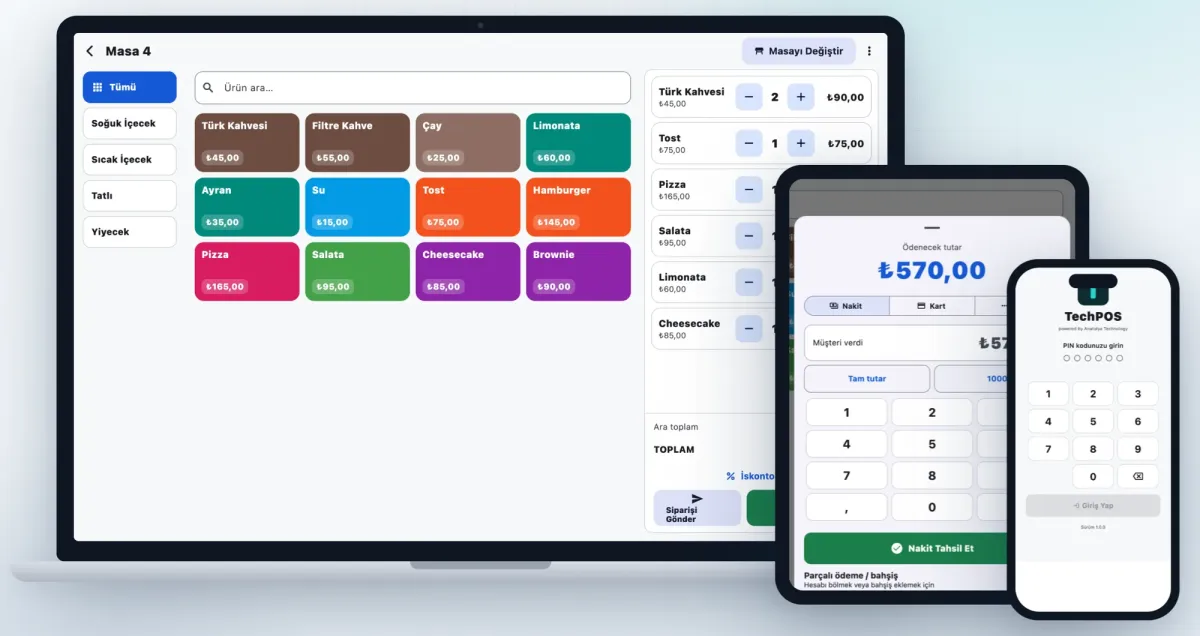
Touch menu with category filters, table selection, portions and notes, discounts, comps/voids; merge and split tickets.
Select Language
 TechPOSby Anatolya Technology
TechPOS brings your whole sales flow, from the table to the kitchen and from the till to accounting, into one system. The same app runs on Windows and macOS tills and on Android and iOS tablets, and keeps selling even when the internet is down.
Features
Touch menu with category filters, table selection, portions and notes, discounts, comps/voids; merge and split tickets.
Take cash, card and account payments together; change and remaining balance are calculated automatically.
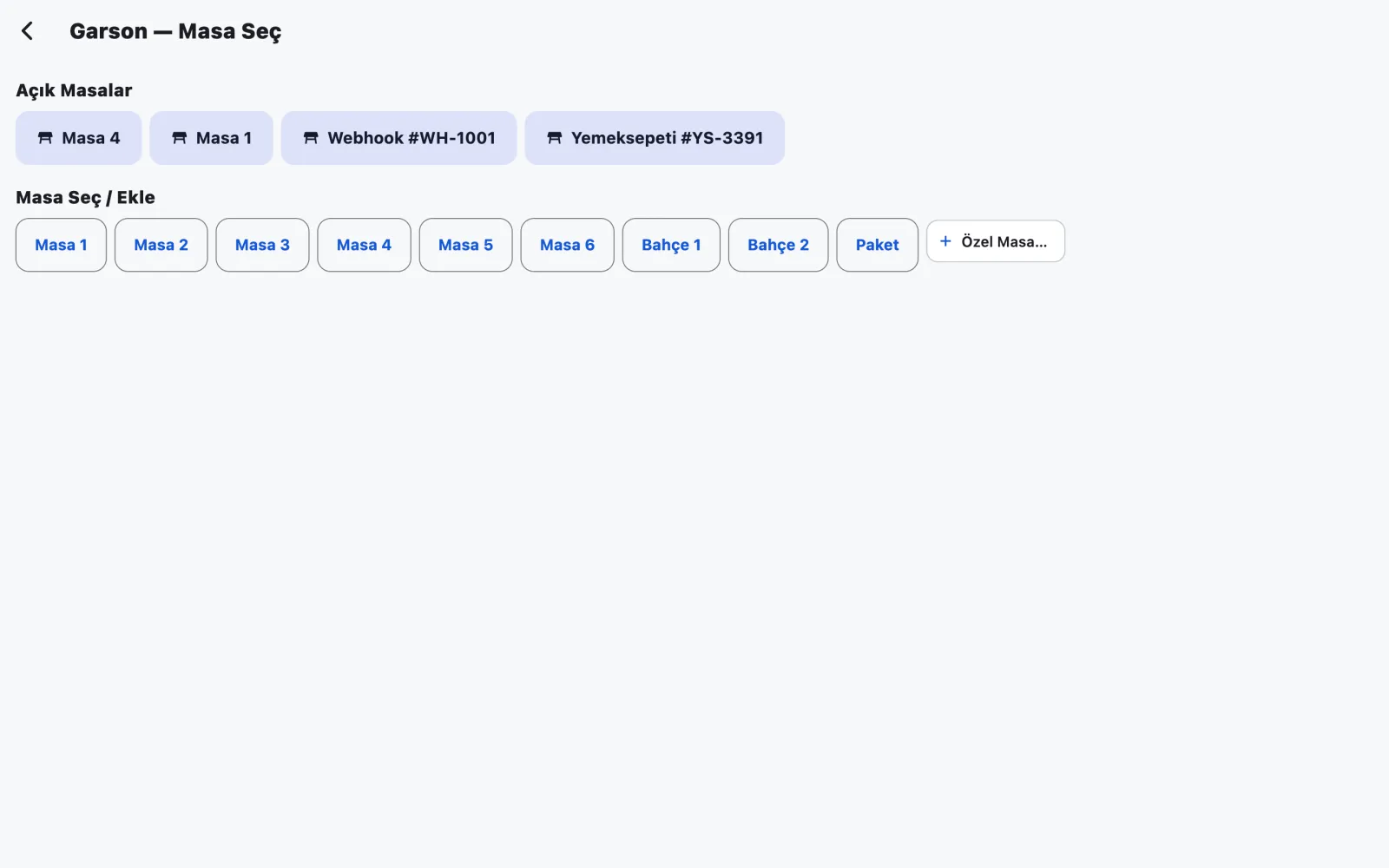
Take orders at the table and send them to the kitchen in one tap; every terminal syncs instantly over the local network.
Pending orders, waiting-time indicators and line-by-line “Ready” marking.
Orders from Getir, Trendyol, Yemeksepeti, Migros and your website in one queue; accept and convert to a ticket.
Drivers for Token, Hugin and BKM (CTEP) fiscal payment devices with clear error messages.
Invoice a paid ticket in one click; net and VAT are derived from VAT-inclusive prices.
X and Z reports, payment types, best sellers, user and discount breakdowns, CSV export and cloud reporting.
Automatic stock deduction, recipes (e.g. burger = bun + patty), counts and minimum-level alerts.
Top-ups, paying from account balance and cashback points.
Table bookings, phone orders, couriers and delivery tracking.
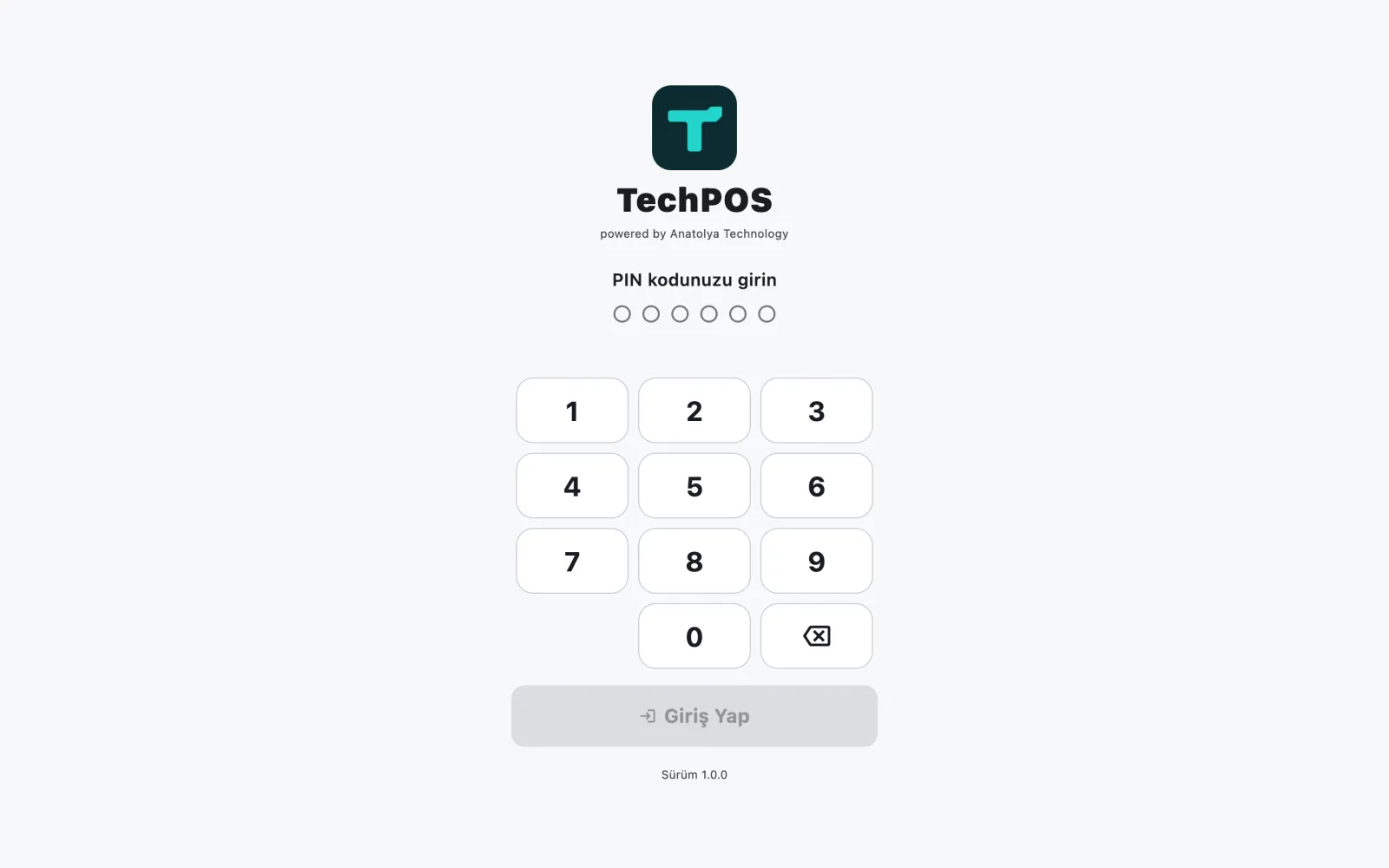
PIN login, role-based permissions, staff clock-in/out and working hours.
Take a closer look
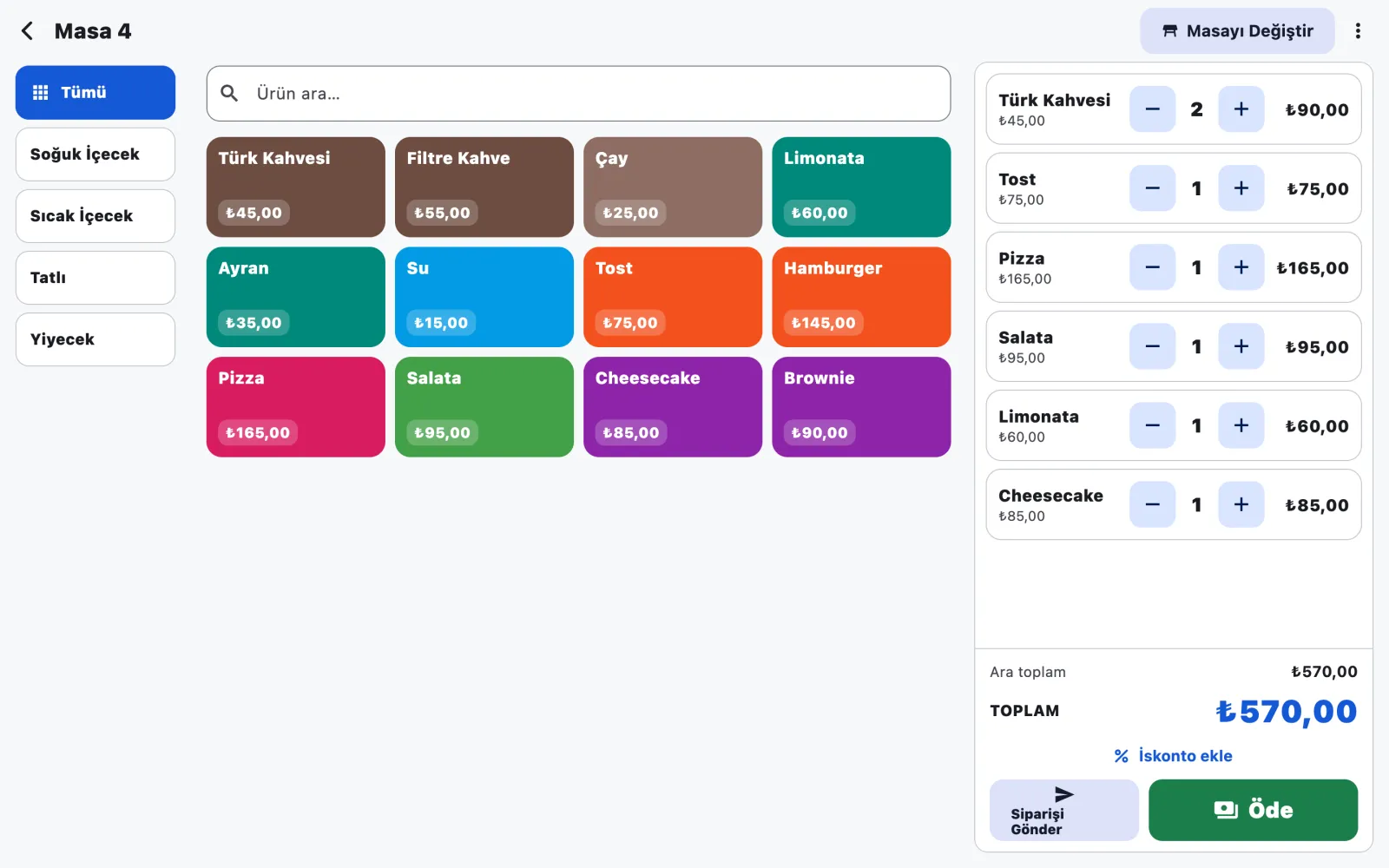
Colour-coded product tiles, category filters and a live ticket, designed for touch screens.
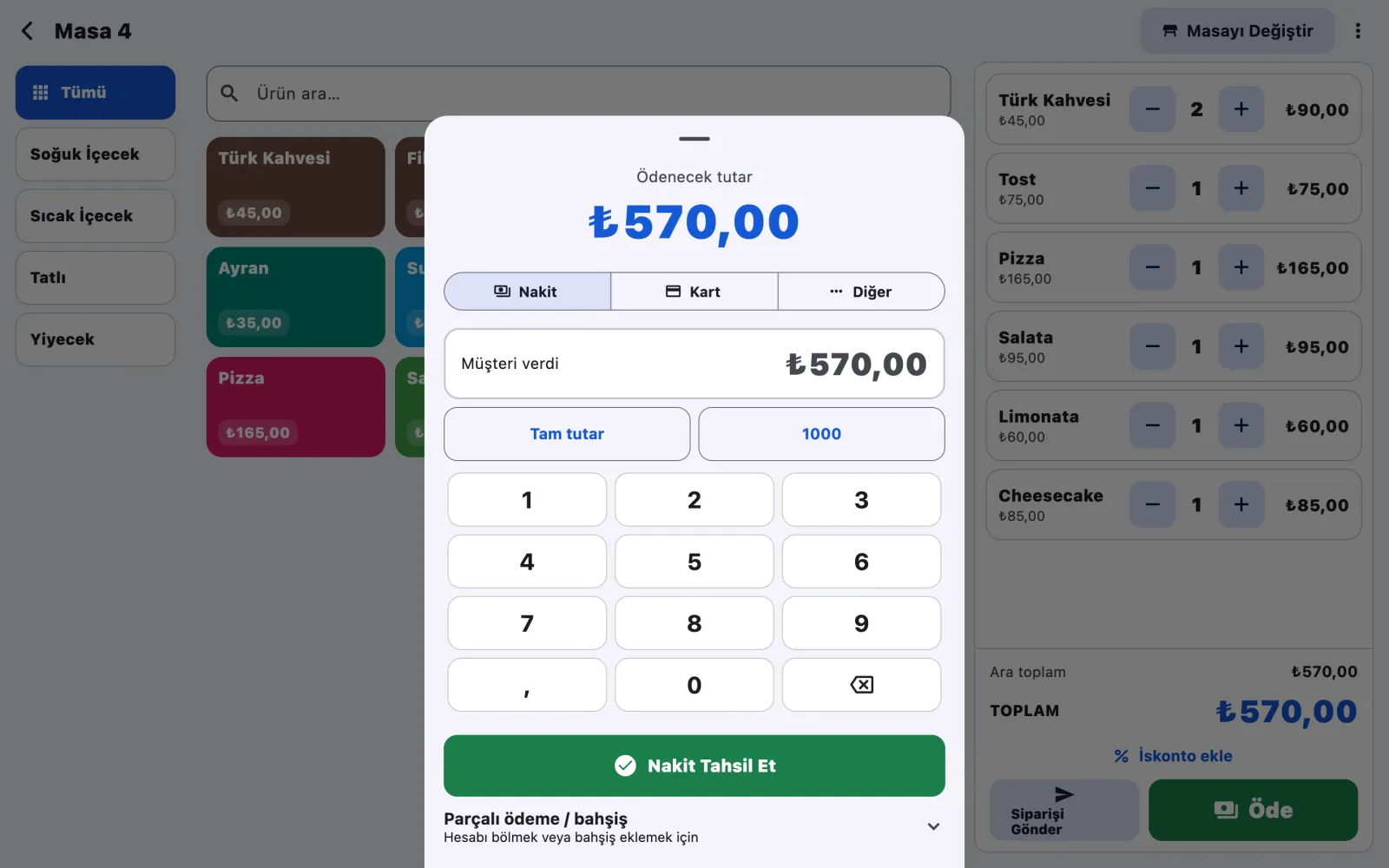
Cash, card or split payment with quick amount buttons and change calculation.
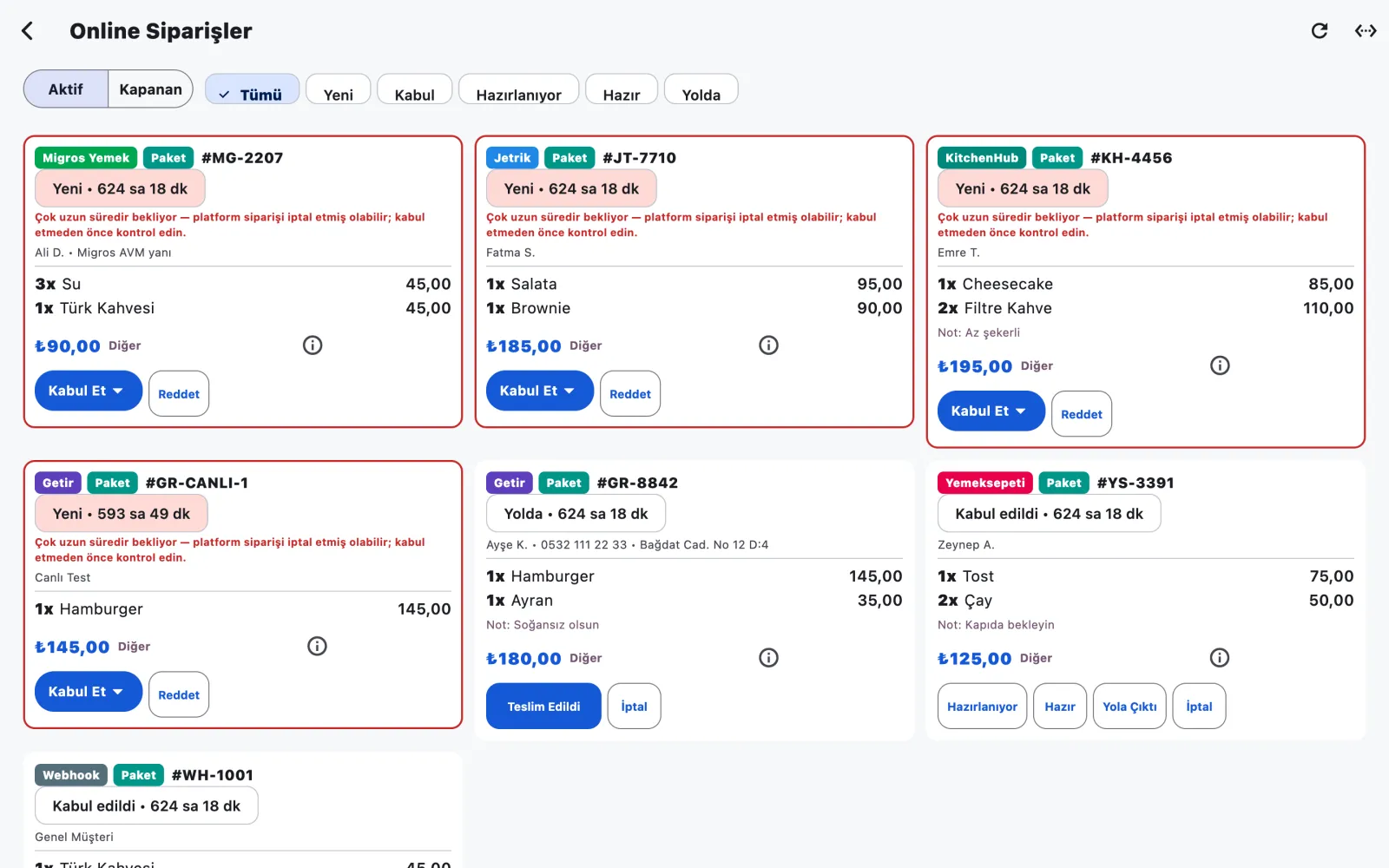
Orders from every platform, a status flow and “Convert to ticket” straight to the kitchen.

Use cases
Tables, waiter tablets and a kitchen display for error-free service at peak hours.
Fast sales screen, takeaway and online order integration.
Barcode scanner, scales, customer display and stock tracking.
Multiple terminals, cloud reporting and central menu management.
Technical details
Let’s plan the right setup, licence and support options for your business.
In a free consultation we listen to your goals and prepare a tailored scope, timeline and budget.